- What is an External ID?
- Who Can View External IDs?
- Who Can Edit External IDs?
- Where Can I Find an External ID?
What is an External ID?
An External ID is a unique identifier that connects a contact or company in Prokeep to that same contact or company in another system, such as an ERP or CRM. This allows Prokeep to match and sync records accurately with the external system.
Who Can View External IDs?
External IDs are visible on Contact and Company profiles to all Prokeep user roles.
This includes:
- Administrators
- Managers
- Members
External IDs may be used by integrations to identify and match records between Prokeep and another system. For example, Prokeep's P21 integration uses External IDs when matching and updating contact and company records.
Before manually changing an External ID, Administrators should verify that the value is correct, particularly when the account uses an ERP, CRM, or another integration that relies on External IDs
Who Can Edit External IDs?
While all roles can view External IDs, only users with the Administrator role can update them.
For non-Administrator roles, the External ID field will still appear on the profile but will be greyed out and cannot be edited.
Where Can I Find an External ID?
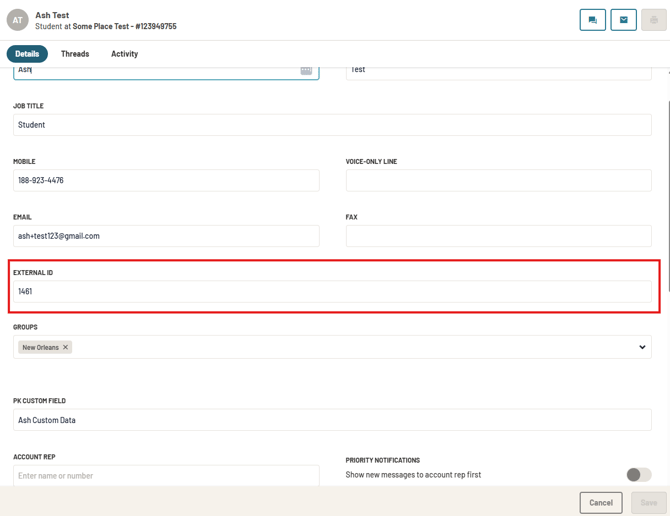
To view an External ID for a contact:
- Navigate to the contact's profile in Prokeep.
- Open the contact's information and click on the pencil icon.
- Locate the External ID field.
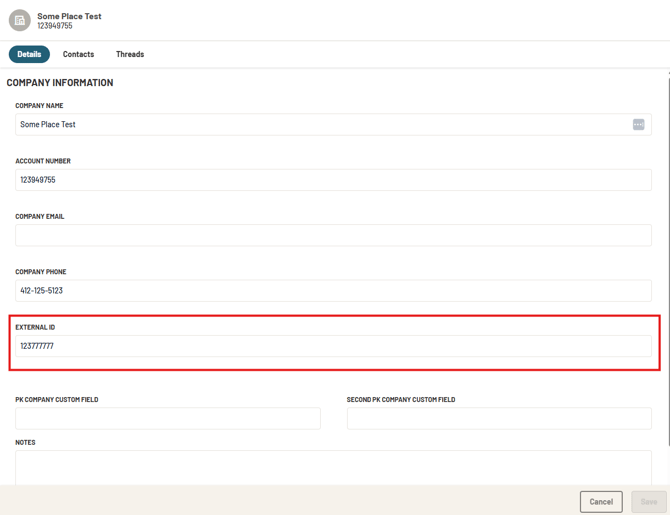
To view an External ID for a company:
- Navigate to the company's profile in Prokeep.
- Open the company's information and click on the pencil icon.
- Locate the External ID field.